Install PotatoStats on Your Device
Keep real-time server telemetry, live player counts, and node status at your fingertips. Launches instantly in full-screen standalone mode with zero app store downloads.
🎬 Interactive Video Walkthrough
📱 Step-by-Step Installation Guides
Open Chrome
Open Google Chrome on your Android smartphone and navigate to stats.potatoserver.live.
Tap Menu (⋮)
Tap the 3 dots in the top-right corner of Chrome, or look for the "Install PotatoStats" banner at the bottom.
Confirm Install
When the Android dialog appears asking to install PotatoStats, tap the green Install button.
Launch Standalone
The PotatoStats icon appears on your home screen and app drawer. Tap it to launch full-screen!
Open Safari
Open Safari on your iPhone or iPad and browse to stats.potatoserver.live. (Must be Safari on iOS).
Tap Share (⎋)
Look at the bottom toolbar of Safari and tap the Share icon (the square with the arrow pointing up).
Add to Home Screen
In the iOS action sheet, scroll down and tap "Add to Home Screen" (marked with the [+] square).
Tap "Add"
Confirm the name PotatoStats and tap Add in the top right. Launch directly from your iOS Home Screen!
Address Bar Icon
In Chrome, Edge, or Brave, look at the right side of the address bar for the small Install monitor icon.
Click Install
Confirm the browser prompt. The dashboard instantly detaches into its own standalone desktop window.
Pin to Taskbar
Right-click the PotatoStats app icon in your Windows Taskbar or macOS Dock and select "Pin to taskbar".
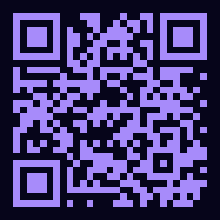
Scan with your Phone Camera
Visiting on your desktop or laptop? Point your phone’s camera at the QR code to open this page directly on your phone and install in seconds.
✨ Why Install the PotatoStats App?
Instant Native Launch
Bypasses browser startup overhead, URL bars, and tab switchers for instantaneous full-screen telemetry access.
Offline Telemetry Caching
Custom Service Worker caches layout, icons, and map artwork so the app opens smoothly even on patchy connections.
Ultra Lightweight (< 2 MB)
Takes a fraction of the disk space required by traditional App Store binaries. Zero storage hogging.
Seamless Auto-Updates
Every time you launch, the background worker silently fetches the latest server feeds, charts, and new features.